Bulldozer Construction Games
Timpy Games For Kids, Toddlers & BabyEducational
0.00.00 Reviews
- Version
- 1.0.0
- Installs
- 10.00K
- Age Rating
- Everyone
Screenshots
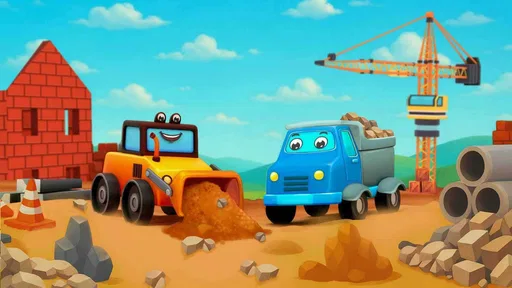
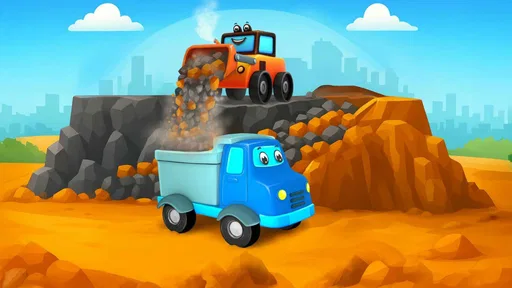
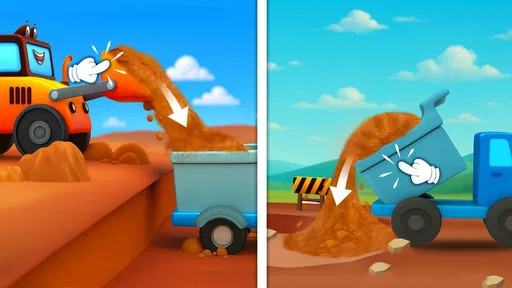
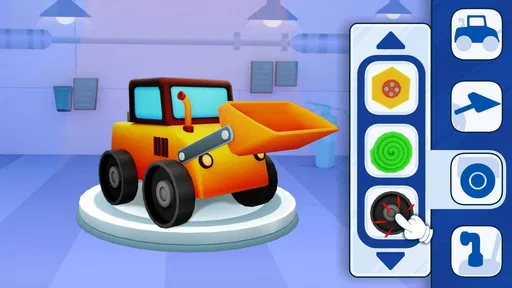
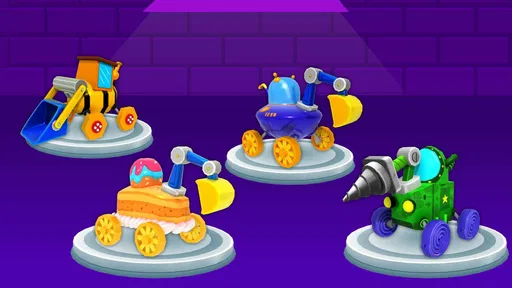
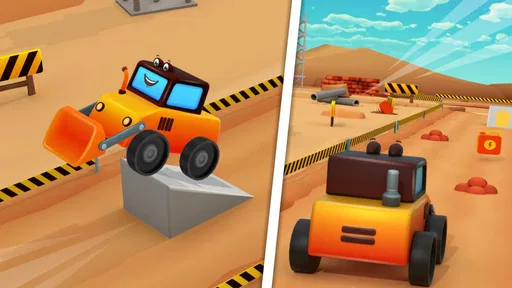
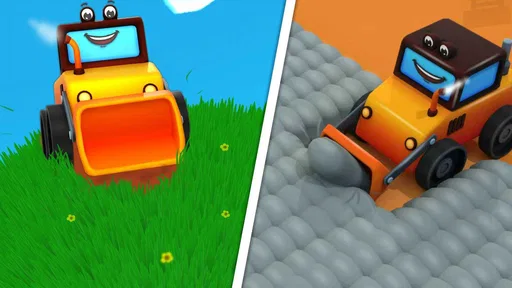
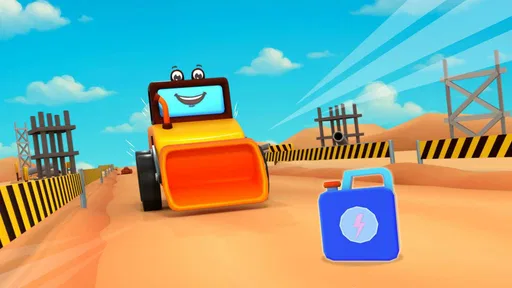
Our Review of Bulldozer Construction Games
 Analysis by Appyee
Bulldozer Construction Games is an educational game for children who are fascinated by heavy machinery. I approached it as a small, touch-friendly construction experience rather than a deep building simulator, and that distinction matters. Its appeal comes from letting young players interact with familiar work vehicles such as bulldozers, excavators, and other construction trucks in a playful setting.
The game is made by Timpy Games For Kids, Toddlers & Baby, a developer focused on experiences for very young players. It is free to download, carries an Everyone age rating, and runs on Android devices using Android 5.1 or later. The current release is version 1.0.0, so I would view it as an early version of the experience rather than a mature construction game with years of refinement behind it.
What I like immediately is the clear theme. A child does not need to understand complicated menus or a long story to know what the game is about: choose a machine, move through a construction-themed activity, and enjoy the satisfying idea of operating big vehicles. That directness makes it easy to introduce during a short play session.
How the construction play feels for young children
I find the appeal of construction play for young children is less about finishing a job and more about having a safe, simple chance to explore familiar machines. In this section, I’d focus on matching the game to a child’s attention and interest, then consider how an adult can make those short interactions more engaging without turning them into a lesson.
A simple entry point for vehicle-loving kids
The strongest use case is a child who already points out diggers, dump trucks, and roadwork equipment during walks or car journeys. For that child, the game turns a familiar real-world interest into an interactive activity. I can imagine using it during a quiet afternoon when a child wants screen time but is more interested in machines than in cartoons or competitive games.
The educational category should be understood in a practical, early-learning sense. This is not the kind of title I would choose for formal lessons about engineering, physics, or construction safety. Its value is more basic: recognizing vehicles, following a themed activity, practicing touch control, and connecting actions with visible results. Those small interactions can support attention and hand-eye coordination without making the child feel as if they are doing homework.
The construction setting also gives parents an easy conversation starter. While playing together, I could ask which vehicle is best for moving soil, what an excavator arm does, or why a bulldozer has a wide blade. The game itself should not be treated as a complete lesson, but it can make those questions feel natural.
Why the first sessions may work better with an adult nearby
Although the Everyone rating makes the game suitable for a broad audience, very young children may still need help at the beginning. Touchscreen games often look obvious to adults but can be confusing for a toddler who does not yet understand whether to tap, drag, or press and hold. I would spend the first session showing the child what each control does, then let them repeat the action independently.
This is also useful for observing whether the pace suits the child. Some children enjoy repeating a single vehicle action many times, while others become frustrated if the game does not respond exactly as expected. Sitting nearby lets a parent turn a moment of confusion into a quick explanation instead of allowing the child to abandon the game.
A practical routine is to keep the first play period short, choose one vehicle activity, and stop while the child is still enjoying it. That approach makes the game feel like a focused activity rather than an endless source of stimulation. It also helps reveal whether the child is interested in construction play itself or only in the novelty of opening a new game.
Progress without turning play into pressure
I prefer children’s games that let progress feel relaxed, and this title is best approached with that expectation. The construction theme naturally suggests completing jobs, but young players should not feel that they must perform perfectly or move quickly. If a child wants to repeat an action with the bulldozer or return to a favorite vehicle, that repetition can be part of the enjoyment.
Parents should pay attention to how the child reacts to any task structure. If the child becomes anxious about making mistakes, I would guide them toward exploration rather than treating each activity as a test. The game works better as supervised play than as a tool for measuring ability.
One useful habit is to ask the child to describe what they are doing before helping. “What is the truck carrying?” or “Where should the dirt go?” encourages language and planning while keeping the interaction playful. This adds educational value that does not depend on the game presenting a formal explanation.
Spending and the practical meaning of free access
The game is free, but it includes in-app purchases priced at $2.99 per item. That is the key point for families deciding whether it fits their household rules. Free installation does not necessarily mean every part of the experience is available without spending, so I would check the purchase flow before handing the device to a child.
For a supervised family device, the sensible approach is to use the operating system’s purchase protections and make it clear that buying anything requires an adult. I would not give a young child unrestricted access to the payment process, even when the individual item price appears manageable. The important issue is control and understanding, not simply the size of one purchase.
The fair way to judge the game is to separate free access from optional spending. A parent can try the available play first, see whether the child returns to it willingly, and only then decide whether an extra item is worthwhile. I would avoid buying immediately just because a locked or additional element attracts attention. A child’s excitement at seeing a new vehicle is not the same as evidence that the purchase will provide lasting value.
I also would not describe the purchase system as unfair or aggressive without seeing a specific purchase prompt in context. What can be said clearly is that each item costs $2.99, and families should make the decision themselves rather than allowing an impulsive tap to make it for them.
Competitive fairness is mostly about the absence of competition
This is not the type of game I would choose for leaderboards, online contests, or comparing a child’s performance with other players. Its construction focus makes it more suitable for individual play, where the child can interact with vehicles at their own pace. That is a positive for families trying to avoid ranking pressure.
Because the experience is centered on machines and activities rather than visible competition, a child’s enjoyment does not depend on beating another player. There is no reason to treat a younger child as less capable because they take longer to complete an action. In that sense, the game has a naturally calmer form of fairness: the child can engage with the theme without needing a competitive advantage.
Parents should still make their own distinction between playful progress and performance pressure. Even a simple activity can become stressful if an adult repeatedly demands faster completion or compares siblings. I would use the game as a shared interest, not as a test of which child has better coordination.
It is also not a substitute for a multiplayer construction game if your child specifically wants collaboration, competition, or social interaction. A child looking for shared building projects with friends may be better served by a title designed around cooperative play. This game’s strength is its focused vehicle theme, not a competitive community.
Where it stands beside ordinary alternatives
The usual alternatives fall into several groups. Some children’s apps offer open-ended digital toys with no clear task, while others use puzzles, letters, numbers, or matching exercises as their main structure. There are also larger building games that give players broad creative control but demand more reading, menu navigation, and patience.
Bulldozer Construction Games sits closer to a themed activity than to a full sandbox. That makes it easier for a young child who wants to operate construction vehicles without first learning a complicated interface. On the other hand, a child who wants to design an entire town, manage materials, or build freely may outgrow this style quickly and prefer a more open-ended game.
Compared with a general educational app, the advantage here is focus. A child who ignores alphabet or counting games may still engage with a bulldozer because the subject matches a strong personal interest. The trade-off is that the learning range is narrower. I would choose this as a targeted interest-based activity, not as the only educational game on a device.
Compared with videos about construction equipment, the interactive element is the main reason to choose it. A video can show real machines in action, but a game invites the child to make a choice and perform an action. For a very young player, that sense of participation may hold attention better than watching passively. For accurate information about how real machinery works, however, I would still pair the game with age-appropriate books or real-world observation.
Small details that improve the family experience
One practical tip is to treat the game as a conversation prompt rather than leaving it to carry the entire educational experience. After a short session, ask the child to name the vehicles they used or explain which machine they liked best. This turns a simple screen activity into a chance to practice vocabulary and memory.
A second useful approach is to connect the game with a real construction sight. If roadwork is happening nearby, a parent can point out the difference between what the child saw outside and what the game lets them do. That comparison teaches an important distinction: the game is a playful representation, while real machines require trained operators and careful safety rules.
A third tip is to watch for repetitive value before spending. Some young children enjoy repeating the same movement, and that may be enough to justify keeping the game free. Others need a wider range of activities to stay interested. I would observe which pattern applies to your child instead of assuming that an additional purchase will solve boredom.
A fourth consideration is device readiness. Since the game supports Android 5.1 and later, it can work on some older Android hardware, but the experience may still depend on the individual device’s responsiveness and available space. I would install it before a planned trip or waiting-room visit rather than trying it for the first time when a child is already impatient.
Questions parents may still have before installing
Is it suitable for a toddler? The Everyone rating makes it broadly age-appropriate, and the vehicle theme is clearly aimed at children, but suitability still depends on the child’s ability to follow touch instructions. A toddler may enjoy watching and copying an adult before playing alone. I would supervise early sessions and keep expectations modest.
Does it teach real construction skills? Not in the sense of professional training or detailed engineering instruction. Its educational value is better described as themed interaction, vehicle familiarity, simple decision-making, and touch practice. If your goal is serious information about machinery, use it alongside real explanations rather than treating it as a technical course.
Can a child play without spending money? The game is free to download, while in-app items cost $2.99 each. Families should try the accessible portion and configure purchase controls before deciding whether any optional item is appropriate. I would not let a child make those decisions independently.
Is it a good choice for a child who wants competition? Probably not as the main reason to install it. The appeal is individual construction play, not proving superiority over other players. A racing, challenge, or multiplayer title would be a better match for a child who specifically asks for rankings and head-to-head activity.
Will it replace a larger building game? I would not expect that. This is a more focused option for young children who want construction vehicles, while a broader building sandbox offers more creative freedom but usually brings more complexity. The right choice depends on whether your child wants to operate machines or construct an entire world.
What remains important to check personally
Because the current version is 1.0.0, I would keep expectations realistic about polish and long-term depth. An early release can be perfectly enjoyable for short sessions, but it may not have the breadth that families expect from a long-running children’s game. I would judge it by whether the available activities hold your child’s attention, not by comparing it with large educational platforms.
I would also pay attention to the way the game presents optional purchases during normal play. The confirmed purchase price gives families a clear starting point, but the experience of seeing those options is something each parent should evaluate directly. If prompts interrupt play too often for your household, the game may not be worth keeping even if the vehicle activities themselves are appealing.
The developer’s name, Timpy Games For Kids, Toddlers & Baby, signals a young audience, but a developer label alone cannot tell me whether every child will enjoy the controls or the pace. That is why a brief supervised trial is more useful than relying on the theme. Children who love construction vehicles may connect with it immediately; children who prefer stories, drawing, or open-ended creation may not.
My trust verdict for families
My overall view is positive but deliberately limited. I see this as a friendly, focused educational game for young children who are drawn to bulldozers, excavators, and construction trucks. It gives parents an easy way to offer themed interactive play without introducing a competitive goal, and its free entry makes a cautious trial straightforward.
I would recommend it most strongly for short, supervised sessions, especially when a child already shows interest in heavy machinery. The best results come when an adult adds conversation, connects the play with real-world vehicles, and treats repetition as exploration rather than demanding measurable progress.
I would skip it if you need a deep construction simulator, a broad curriculum, cooperative play, or a completely purchase-free experience. The optional items at $2.99 each also mean that families should establish spending boundaries before installation. Those are not reasons to dismiss the game, but they are important parts of making a fair decision.
For the right child, Bulldozer Construction Games can be a charming first step into interactive construction play. I would install it with realistic expectations: enjoy the focused vehicle theme, supervise the first sessions, protect purchases, and decide based on your child’s actual response rather than the promise of endless content. As a free starting point for machine-loving kids, it is worth trying; as a complete educational world, it is better viewed as one small tool in a larger mix of play and learning.
Verdict
Strengths of Bulldozer Construction Games
- Simple controls make it easy for beginners to operate the bulldozer.
- Multiple construction tasks keep the gameplay varied and engaging.
- Offline play lets you enjoy missions without an internet connection.
- Realistic machine sounds add atmosphere while completing each job.
- Short missions work well for quick gaming sessions.
Limitations of Bulldozer Construction Games
- Some levels can feel repetitive after extended play.
- Ads may interrupt gameplay, especially between missions.
- Vehicle movement can feel slow during larger construction jobs.
- Graphics may look basic on older or high-resolution devices.
- Limited customization reduces long-term replay value.
Other Releases by Timpy Games For Kids, Toddlers & Baby
View All
Baby Games for 2-5 Year Olds
Educational4.6
Similar Picks in This Category
View All
Little Panda Policeman
BabyBus4.0

Monster Trucks Game for Kids 2
Raz Games4.1

Little Panda's Chinese Recipes
BabyBus4.4

Little Panda's Restaurant
BabyBus4.4

Little Panda's Ice Cream Games
BabyBus4.3

Baby Panda Care
BabyBus3.8
Frequently Asked Questions
What is Bulldozer Construction Games about?
Bulldozer Construction Games is a vehicle-simulation experience focused on operating heavy construction machinery. Players usually take control of a bulldozer, complete earthmoving and building tasks, clear obstacles, level terrain, and follow job objectives across different environments. The gameplay is generally straightforward, making it suitable for casual players who enjoy construction themes and machinery-based challenges rather than competitive action.
Is Bulldozer Construction Games suitable for children?
The game is generally easy to understand because its main activities involve driving a bulldozer and completing simple construction assignments. However, parents should check the age rating, advertising content, in-app purchase information, and privacy details listed on the relevant app store before installation. Some versions may include third-party ads or features that require supervision, especially when younger children are using the device.
Does Bulldozer Construction Games require an internet connection?
Whether an internet connection is necessary can depend on the specific version and device. Basic construction missions may work offline after the game has been installed, but advertisements, optional rewards, updates, analytics, or other online services may require connectivity. I recommend launching the game once with internet access and checking its behavior in airplane mode before relying on it for offline play.
Are there in-app purchases or advertisements in Bulldozer Construction Games?
Many free construction and vehicle games are supported by advertising and may offer optional purchases, such as removing ads, unlocking machinery, or obtaining virtual currency. The exact monetization system can vary between Android and iOS releases, so users should review the store listing before downloading. If children will play, parental controls and purchase restrictions are worth enabling in advance.
What devices are needed to play Bulldozer Construction Games comfortably?
The game should run on many modern Android and iOS devices, but performance can vary depending on the graphics quality, level design, and optimization of the particular release. A device with an updated operating system, sufficient free storage, and a reasonable amount of memory will provide a smoother experience. Older phones may experience slower loading, reduced frame rates, or occasional crashes.
Play our best games!


